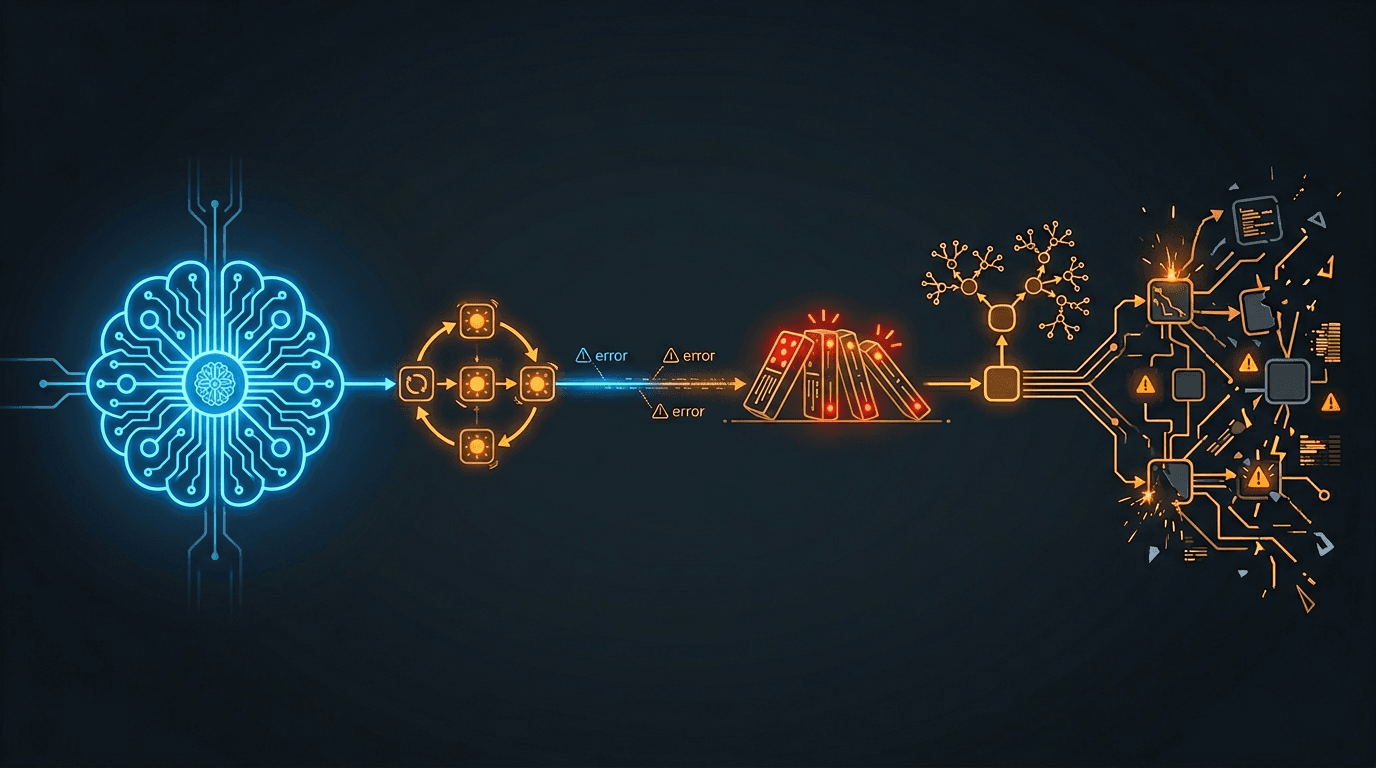
Your AI Agent Works Great in Demo. Here's Why It Breaks in Production.
Every AI agent demo works. Then you deploy it. A field guide to the failure modes we have encountered running AI agents in production - retry storms, silent degradation, cascading backpressure, recursive agents, and context bloat - and the engineering patterns that prevent them.
The demo always works. The model is fast. The tools fire correctly. The response is perfect. The audience applauds. You merge to main and deploy to production.
Then reality arrives. Hundreds of users send messages simultaneously instead of one. External APIs rate-limit you at the worst possible moment. The AI has six months of accumulated context instead of a fresh conversation. Network connections drop and reconnect mid-response. Scheduled tasks fire and the AI decides to schedule more tasks. A single slow dependency cascades into platform-wide degradation.
The gap between "demo works" and "production works" is not about the AI model. It is about every system the model depends on. I have spent the last two years running multi-agent AI systems in production across multiple products and channels. This post is a field guide to the failure modes we have encountered, and the engineering patterns that prevent them.
If you have read MCP Is the USB Port for AI Agents , that post covered what to build. This post covers what goes wrong after you build it.
Retry Amplification: The Pattern That Eats Your Rate Budget
We had an external memory service with a generous rate limit. Our legitimate traffic used roughly 4% of the limit. Comfortable margin. Then a subset of API calls started failing with transient errors. Our background task system retried each failure up to three times with exponential backoff. Textbook pattern. Seems reasonable.
Here is what happened instead: failed tasks retried. Retries consumed more of the rate budget. More calls hit the rate limit. More retries triggered. Within hours, 71% of all task activity was retries. The success rate dropped below 5%. The original traffic was fine - the retries were the problem.
The Retry Amplification Loop
Legitimate load: 4% of rate limit
→ Some calls fail (transient issue)
→ Retry policy: 3 retries with exponential backoff
→ Failed retries consume rate budget
→ More calls hit rate limit → more retries generated
→ Retry activity dominates: 71% of all traffic
→ Success rate: under 5%
→ Legitimate calls cannot get through
The fix was counterintuitive: stop retrying. When you receive an HTTP 429 (Too Many Requests), drop the request cleanly instead of retrying. Let the legitimate traffic through. Within hours of deploying this change, the success rate recovered from under 5% to healthy throughput. The system healed itself once we stopped feeding it poison.
The lesson: retry policies designed for transient failures are catastrophic for rate limits. A transient failure means the service might recover. A rate limit means the service is telling you to stop. Retrying makes it worse, not better.
When to Retry (and When Not To)
| Error Type | Retry? | Why |
|---|---|---|
| Network timeout | Yes, with backoff | Transient - the service may recover |
| HTTP 500 (server error) | Maybe once | Server may be in a bad state - retrying may hit the same problem |
| HTTP 429 (rate limit) | No - drop cleanly | Retrying consumes the rate budget and prevents recovery |
| HTTP 400 (bad request) | Never | Your request is wrong - retrying sends the same bad request |
When your AI agent connects to external services via MCP or any tool integration, every tool call is a potential retry storm waiting to happen. The more tools your agent has access to, the more external dependencies it touches, and the more important your retry policy becomes.
Silent Degradation: The Failure Mode Nobody Reports
After the retry amplification incident was fixed, we realized something worse: the AI had been running with degraded memory for an extended period before anyone noticed. Memory sync was failing silently. The AI was still responding to users - just without the context it should have had. No error messages. No alerts. No user complaints. Just a subtly worse AI.
Nobody files a bug report for "the AI forgot what I said yesterday." They attribute it to "AI is not that good" and use it less. This makes silent degradation the most dangerous failure mode in production AI - not because it is dramatic, but because it is invisible.
Failure Types by Visibility
| Failure Type | User Experience | Detection Speed |
|---|---|---|
| AI crashes (500 error) | "Something went wrong" message | Immediate - Sentry alert, user complaint |
| AI hangs (timeout) | Loading spinner never stops | Fast - user retries, timeout alert fires |
| AI responds without memory | Response is correct but misses context | Slow or never - user just thinks AI is not smart |
In traditional web applications, silent degradation might mean showing a page without personalization. In AI systems, it means the AI forgets who you are, what you discussed yesterday, and what your preferences are. The user does not get an error - they get a worse experience and never tell you about it.
How to Detect Silent Degradation
- Monitor quality signals, not just error counts. Track memory injection rate - what percentage of responses include long-term context? If that number drops, your memory pipeline is degraded.
- Create synthetic tests that verify memory recall. Send a message, wait, send a follow-up that requires context from the first. If the AI does not recall it, your memory pipeline is broken.
- Treat fire-and-forget as a reliability risk. If a background job fails silently, the system degrades silently. Every fire-and-forget operation should have a health metric attached.
Ask yourself right now: "How would I know if my AI's memory sync stopped working?" If the answer is "I would not know," you have a silent degradation problem.
Cascading Backpressure: How One Slow Dependency Takes Down Everything
A memory provider's API became slow. Not down - just slow. Response times increased from the normal range to several seconds. That seems manageable. Here is how it cascaded into 90 minutes of degraded service for every user on the platform:
The Cascade
Memory API slows down (response time increases)
→ Event handlers hold connections longer, waiting for memory responses
→ Worker pool fills up (all handler slots occupied)
→ New events queue and backlog grows
→ Shared infrastructure under pressure becomes slower for all operations
→ Real-time messaging degrades
→ Users experience multi-minute delays on every message
→ Duration: 90 minutes of degraded service
"Slow" is harder to handle than "down." When a dependency is down, circuit breakers trip, failover activates, and errors are visible. When a dependency is slow, nothing triggers. Timeouts may be set too generously - a 10-second timeout on an operation that normally takes 150 milliseconds means a slow call occupies a worker for 66x longer than normal. No error to detect. No circuit to break. Just a gradually drowning system.
Set Aggressive Timeouts
If an API normally responds in 150 milliseconds, a 10-second timeout is not protecting you. It is allowing a slow call to occupy a worker for 66x longer than normal.
Monitor Queue Depth
By the time users report slowness, the cascade has been building for minutes. Queue depth and processing lag are leading indicators.
Decouple Non-Critical Paths
If memory enrichment is optional (the AI can respond without it), do not let memory API slowness block the response path.
Shed Load Under Pressure
When the queue exceeds a threshold, start shedding non-critical work. Graceful degradation is better than total degradation.
Here is a practical exercise: draw the dependency graph for your AI agent's critical path - every API call, every database query, every cache lookup between "user sends message" and "AI starts responding." For each dependency, ask: "What happens if this takes 10x longer than normal?" If the answer is "everything else slows down too," you have a cascading backpressure risk.
Recursive Agent Behavior: When Your AI Creates Infinite Work
We had an AI agent with scheduling capabilities - it could create scheduled tasks for itself. The agent was also invoked by those same scheduled tasks. See the problem?
The Recursion Without a Base Case
Scheduled task fires at 9:00 AM
→ Invokes the agent with full tool access
→ Agent interprets the scheduled prompt
→ Agent decides to create additional scheduled tasks
→ New tasks fire on the next interval
→ Each invocation creates more tasks
→ Exponential growth: 1 → 3 → 9 → 27 → ...
→ Result: hundreds of duplicate tasks, hundreds of notification emails
Traditional scheduled tasks - cron jobs - are static. The code runs, does its work, finishes. AI agents are different. They interpret instructions and take arbitrary actions, including creating more scheduled work. When you give an AI agent the ability to create the same kind of work that invoked it, you have created a recursion without a base case. Any computer science student recognizes that as a stack overflow waiting to happen.
The fix is to restrict which tools are available based on how the agent was invoked, not just who invoked it.
Context-Based Tool Restriction
An agent invoked by a scheduled task should not have access to the scheduling tool. Restrict tool availability based on how the agent was invoked.
Bounded Recursion
Track the invocation chain and refuse to create new work past a maximum depth. Enforce a recursion limit.
Tool Access as Permissions
The set of tools available to an agent should vary by context: user chat, scheduled task, webhook, internal pipeline.
As AI agents gain more capabilities - tool access, scheduling, inter-agent communication - the surface area for self-amplifying behavior grows. Every capability you give an agent is also a capability the agent can use to create more work for itself. Role specialization in AI teams is not just about quality. It is about preventing agents from stepping on each other's toes - or creating infinite loops.
Context Bloat: When More Memory Makes Your AI Worse
Over several months, we added memory sources to our AI agents' system prompts incrementally. Over time, we added multiple sources of long-term context - different categories of memory, each capturing a different scope of user history.
Each addition improved the AI individually. But nobody removed the earlier sources when the newer ones superseded them. The same facts appeared in three different formats in the system prompt. Simple conversations generated prompts with massive token counts - far more than necessary.
The Cost of Context Bloat
| Problem | Impact |
|---|---|
| Redundant context | AI sees the same fact three times in different formats, wastes attention on deduplication |
| Token cost | Every message costs more because the prompt is bloated |
| Latency | Larger prompts take longer to process, increasing time-to-first-token |
| Quality degradation | Paradoxically, too much context makes the AI worse - it cannot prioritize what matters |
The fix: audit every source of context injection. For each source, ask: "Is this the best way to deliver this information, or does another source already cover it?" Remove the redundant sources. In our case, removing one entire category of context injection reduced prompt size by 50-80% with no quality loss - because the remaining sources already contained the same information in a better format.
The Subtraction Principle
Memory architecture is a subtraction problem, not an addition problem. The best memory system is not the one that remembers the most. It is the one that delivers the right context at the right time without redundancy. When adding a new context source, identify which existing source it replaces.
Context Audit Checklist
- Audit every source of context that gets injected into your AI's system prompt
- For each source, verify it provides unique information not covered by other sources
- Measure your average system prompt token count - if it has grown steadily, you likely have redundancy
- When adding a new context source, identify which existing source it replaces
- Set a token budget for system prompt context and treat it like a performance budget
Streaming Reliability: Time-to-First-Token Is a Reliability Metric
In a traditional web application, a 3-second response time is acceptable. In an AI chat application, 3 seconds of silence after pressing "Send" feels broken. Users stare at a blank screen. Past 4-5 seconds, many will retry - sending the same message again, doubling your load.
Time-to-first-token (TTFT) is not just a performance metric. It is a reliability metric. When TTFT degrades, users create retry load, which degrades TTFT further. Sound familiar? It is the same amplification pattern as retry storms, but driven by human behavior instead of code.
The TTFT Budget
Every millisecond between "user sends message" and "first token appears" is consumed by a sequential chain:
User message received
→ Authentication and routing (fast, milliseconds)
→ Agent state assembly (database reads, cache lookups)
→ Context assembly (memory retrieval, tool preparation)
→ Model invocation to first token (model-dependent, not under your control)
The model invocation time is outside your control. Everything before it is your responsibility. If your context assembly adds a new API call, that call's latency is subtracted directly from your TTFT budget.
For chat-based AI, the transport layer - typically WebSocket - introduces its own reliability concerns. Silent dead connections can appear open but be unable to deliver messages, especially on mobile networks. Application-level heartbeats detect this. Reconnection requires re-subscribing to active conversations. Network hiccups can cause duplicate streamed response chunks, which need deduplication by correlation identifier.
These are not AI-specific problems. But they are amplified in AI systems because streamed responses are long-running - seconds to minutes - and users watch the output appear in real time. A dropped chunk is immediately visible.
Establish a TTFT Budget
Measure your current p50 and p95. Set targets. Any change to the critical path must be evaluated against the budget.
Prefer Zero-Latency Context
Cached data and prompt text changes add zero latency. Additional API calls add network round-trip latency. Choose accordingly.
The Reliability Checklist
Every team running AI agents in production should be able to answer these questions. If you cannot, the corresponding section above explains why it matters.
Retry Behavior
- Do you distinguish between retriable and non-retriable errors?
- Do you stop retrying on rate limits (HTTP 429)?
- Have you calculated your retry amplification factor (retries per original request)?
Silent Degradation
- How would you know if your AI's memory pipeline stopped working right now?
- Do you monitor context injection rate (percentage of responses with long-term memory)?
- Do you have synthetic tests that verify memory recall?
Cascading Failures
- Can you draw the dependency graph for your AI's critical path?
- For each dependency, do you know what happens if it takes 10x longer?
- Are non-critical dependencies decoupled from the response path?
Recursive Behavior
- Can your AI agent create work that invokes itself?
- Do you gate tool access by invocation context?
- Is recursion depth bounded?
Context Management
- Do you know your average system prompt token count?
- Has it grown steadily over time?
- When you add a new context source, do you remove the one it replaces?
Streaming Reliability
- Do you measure time-to-first-token at p50 and p95?
- Is TTFT treated as a reliability metric with a Service Level Agreement?
- Does your real-time transport have application-level heartbeats?
Reliability Is the Feature Nobody Demos
Nobody demonstrates retry amplification protection in a product demo. Nobody shows off their context bloat audit process. Nobody presents their cascading backpressure mitigation to the board. But these are the things that determine whether your AI agent is a toy or a product.
The AI model is the easy part. The hard part is everything around it: the retry policies, the memory pipelines, the dependency management, the recursive behavior guards, the streaming infrastructure. Get those wrong and your brilliant AI agent becomes unreliable. Get them right and your users trust the AI enough to rely on it.
That trust is the real product. The gap between working and working reliably is where engineering lives. Demos are the pitch. Production is the proof.
Building AI agents that need to survive production?
I write about the engineering patterns behind AI systems that work at scale - memory architecture, multi-agent coordination, and production reliability. Follow along for the next field guide.